
Gaming on a Budget — The Smart Way to Build an Efficient Setup
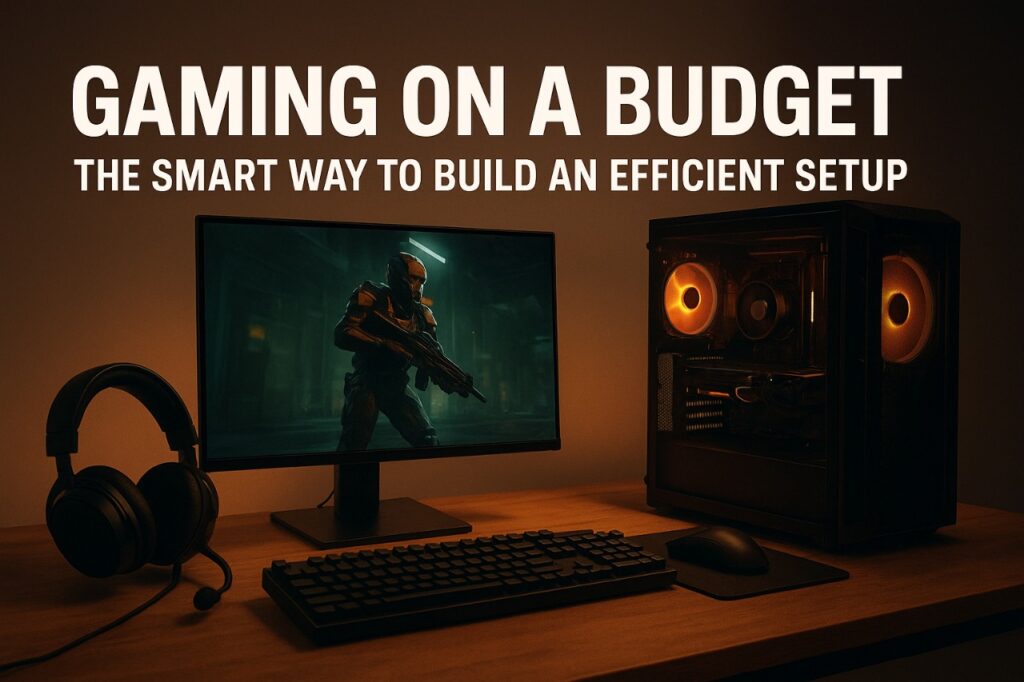
Budget Gaming Setup in 2025 isn’t just about chasing the highest FPS or buying the latest GPU. It’s about smart choices.
It’s about understanding where performance truly comes from — and where money quietly disappears.
Today’s budget gamers know one truth:
Efficiency beats excess.
A well-planned affordable gaming setup easily outperforms an expensive but unbalanced one.
This Vibetric breakdown goes beyond “cheap builds” and focuses on how to create a balanced, efficient, long-lasting gaming setup without burning through your wallet — or compromising on performance.
🧭 Why This Topic Matters
Most gamers overspend because marketing pushes “bigger, faster, newer” at every turn.
But the smartest setups today cost less and perform better because they prioritize:
- GPU value over raw power
- Thermal efficiency over flashy specs
- Balanced bottleneck-free components
- Future-proof upgrades instead of impulse buying
Understanding the economics of budget gaming helps you avoid:
• Wasted money on overpriced components
• Thermal throttling that destroys FPS
• Brand hype disguised as “innovation”
• Low-quality power supplies that shorten system life
Budget gaming isn’t about compromise — it’s about optimizing.
📊 Quick Snapshot — Where Your Budget Should Actually Go
| Component | % of Budget | Why It Matters |
|---|---|---|
| GPU | 40–50% | Most direct impact on gaming FPS |
| CPU | 15–20% | Avoids bottlenecks in modern titles |
| RAM | 10–12% | Ensures smooth multitasking & gaming |
| Storage | 8–10% | SSD = faster loading & responsiveness |
| Power Supply | 8–10% | Stability + long-term safety |
| Cooling | 5% | Prevents performance drops |
| Accessories | 5–10% | Comfort + precision gameplay |
The smartest budget gaming setup is a GPU-first build with balanced support components ensuring sustained performance.
🎮 Understanding the Modern Budget Gamer
Budget gamers today fall into three categories:
1. The Value Hunter
Optimizes every rupee, dollar, or euro.
Looks for last-gen GPUs with the best price-to-performance ratio.
2. The Efficiency Gamer
Focuses on thermals, silent operation, and long-term durability.
Understands FPS isn’t everything — consistency matters.
3. The Hybrid Gamer
Wants a system for gaming, content creation, and productivity.
Prefers balanced components and future upgrade paths.
Budget gaming is now a strategy — not a sacrifice.
🧪 GPU — The Heart of Budget Gaming
If you have ₹50,000 or $600, you don’t need the latest RTX flagship.
You need the best-performing GPU at the best price-per-frame.
What matters more than raw GPU power:
- Cooling performance
- VRAM capacity
- Stable drivers
- Power efficiency
- Consistent frame pacing
Examples of smart GPU picks (2025):
- RTX 4060 / 4060 Ti (power-efficient)
- AMD RX 7600 XT (value king)
- Intel Arc A770 (AI performance & AV1)
A balanced GPU running at 70°C will outperform an expensive one thermal throttling at 90°C.
📺 Display & Camera — AI That Matters
Display: 6.4-inch OLED, 120Hz refresh rate. Colors pop, brightness is sufficient even outdoors. Updates frequently include color calibration and adaptive refresh adjustments, keeping the device visually modern.
Camera: Dual-lens rear with 50MP main and 12MP ultrawide. AI enhancements like Magic Eraser, Night Sight, and real-time HDR are software-driven, benefiting directly from fast Android updates.
Audio: Stereo speakers, clear output. Updates can tweak tuning for improved clarity and volume balance.
⚙️ CPU — Avoid the Bottleneck Trap
Budget builds often pair a strong GPU with a weak CPU or vice versa.
That creates performance inconsistencies, stutters, and wasted hardware potential.
Ideal budget CPU traits:
- 6–8 cores
• Strong single-core performance
• Low power draw
• Efficient cooling needs
Great picks include:
- AMD Ryzen 5600 / 7600
- Intel i5 12400F / i5 13400F
Your CPU doesn’t need to be powerful — it needs to be compatible and efficient.
💨 Thermals — The Secret Budget FPS Booster
Thermal performance is the most underrated factor in gaming setups.
Why thermals matter:
• Cooler components last longer
• Stable FPS = smoother gameplay
• Prevents CPU/GPU throttling
• Reduces power draw
A budget build with good airflow often beats an expensive build with cramped components.
Budget thermal wins:
- Two quality case fans
- Decent CPU cooler (even ₹1,500/$20 improves temps massively)
- Proper cable management
- Mesh-panel case instead of glass
Heat is the silent FPS killer — efficiency starts with airflow.
🧠 Expert Insights
- Last-gen GPUs often deliver 90% of the performance at 60% of the price — the true sweet spot for budget gaming.
- Efficient power supplies drastically extend the lifespan of budget setups and prevent voltage instability.
- RAM speed matters less than capacity; 16GB remains the optimal amount for budget gaming in 2025.
- Budget gamers benefit more from thermal improvements than raw spec upgrades.
- SSD over HDD is non-negotiable — responsiveness defines the modern gaming experience.
🔋 Power Supply — The underrated MVP
Never cheap out on the PSU.
A budget gaming setup lives or dies based on power stability.
Look for:
- 80+ Bronze or better
- Known brands (Corsair, Cooler Master, MSI, Seasonic)
- 550W–650W depending on GPU
Reason:
Voltage spikes can fry your GPU faster than overheating.
🖥 Storage — The Real “Speed Upgrade”
SSD is non-negotiable for modern gaming.
Game loading, map transitions, and OS responsiveness depend directly on storage speed.
Budget picks:
- 500GB/1TB NVMe SSD
- Avoid HDD unless for mass storage
⌨️ Accessories — Small Changes, Big Gameplay Impact
A budget setup still demands good input devices.
Best budget gaming accessories:
- 144Hz monitor
- Ergonomic mouse
- Tactile keyboard
- Quality mouse pad
- Neutral lighting (avoid cheap RGBs)
Precision matters more than aesthetics. A solid mouse beats any RGB-heavy gear.
🧩 What Most Reviews Don’t Tell You
- A well-cooled RTX 4060 outperforms an overheating RTX 4070 in long sessions.
- Monitor quality impacts gameplay more than CPU generation.
- Good airflow adds free performance by preventing thermal drops.
- Modern games depend more on GPU than CPU, especially at 1080p / 1440p.
- Budget gaming is about consistency, not peak numbers.
🥇 Best Budget Gaming Setup (2025 Example Build)
| Component | Recommendation | Reason |
|---|---|---|
| CPU | Ryzen 5 5600 | Best value + low heat |
| GPU | RX 7600 / RTX 4060 | Most FPS |
| RAM | 16GB DDR4/DDR5 | Sweet spot for modern games |
| Storage | 1TB NVMe SSD | Fast loading, smooth OS |
| Power Supply | 550–650W Bronze | Stability + safety |
| Case | Mesh airflow case | Better thermals |
| Monitor | 1080p 144Hz | Ideal for budget FPS |
⏳ Future-Proofing for Budget Gamers
The best “future-proofing” isn’t buying expensive hardware — it’s buying smart hardware.
Future-proof strategies:
- Choose a motherboard with upgrade support
- Prioritize GPUs with 8GB+ VRAM
- Pick efficient CPUs with strong single-core performance
- Invest in airflow, not just raw power
💬 Vibetric Verdict
Budget gaming isn’t about buying cheap — it’s about buying smart.
The most efficient gaming setup is one that prioritizes cooling, optimization, balance, and performance-per-dollar.
In 2025, an efficient gaming rig can outperform overly-priced builds simply by avoiding bottlenecks and focusing on real-world performance.
Gaming on a budget isn’t a limitation.
It’s a strategy.
And when done right — it’s a flex.
🔗 Stay in the Loop
We help you choose smarter, not louder.
- Follow @vibetric_official on Instagram for weekly hardware insights, optimization guides, and realistic recommendations designed for modern gamers.
- Bookmark Vibetric.com for for expert reviews, trend analysis, and buyer guides.
No fluff. No bias. Just honest performance — the Vibetric way.
❓ FAQs
- How much should I spend on a budget gaming PC?
A solid budget gaming setup starts around ₹45,000–₹65,000 ($500–$800) depending on region.
- Is GPU more important than CPU for gaming?
Yes — especially at 1080p and 1440p. The GPU impacts FPS far more.
- How much RAM do I need?
16GB remains the ideal sweet spot for budget gamers in 2025.
- Can I game on integrated graphics?
Yes, but only for light titles. For competitive gaming, a dedicated GPU is recommended.
- Is SSD really necessary?
Absolutely. SSDs transform loading times and reduce stutters.
- Are last-gen GPUs worth it?
Often yes. They deliver top-tier value and better performance per dollar.
- Should I upgrade cooling or GPU first?
If your system is overheating — cooling is the smarter upgrade.
- Is Windows on ARM good for gaming?
Not yet. x86 hardware still leads for gaming.
- Do I need a 144Hz monitor?
If you play FPS or competitive games — it’s a massive upgrade.
- How long will a budget gaming setup last?
3–5 years comfortably with proper cooling and power management.
💬 What’s your take on this?
The comment section at Vibetric isn’t just for reactions — it’s where creators, thinkers, and curious minds exchange ideas that shape how we see tech’s future.

Powerful Signals AI Scaling Is Redefining Performance in 2026
Powerful Signals AI Scaling Is Redefining Performance in 2026 The hardware race that defined consumer tech for thirty years is decelerating. A

Adaptive Transparency Mode in 2026: The Intelligent Evolution Beyond Basic Passthrough
Adaptive Transparency Mode in 2026: The Intelligent Evolution Beyond Basic Passthrough Noise cancellation used to be the headline feature. Transparency was the