
MacBook Air M4 vs Windows Ultrabooks: Definitive Guide for Modern Users
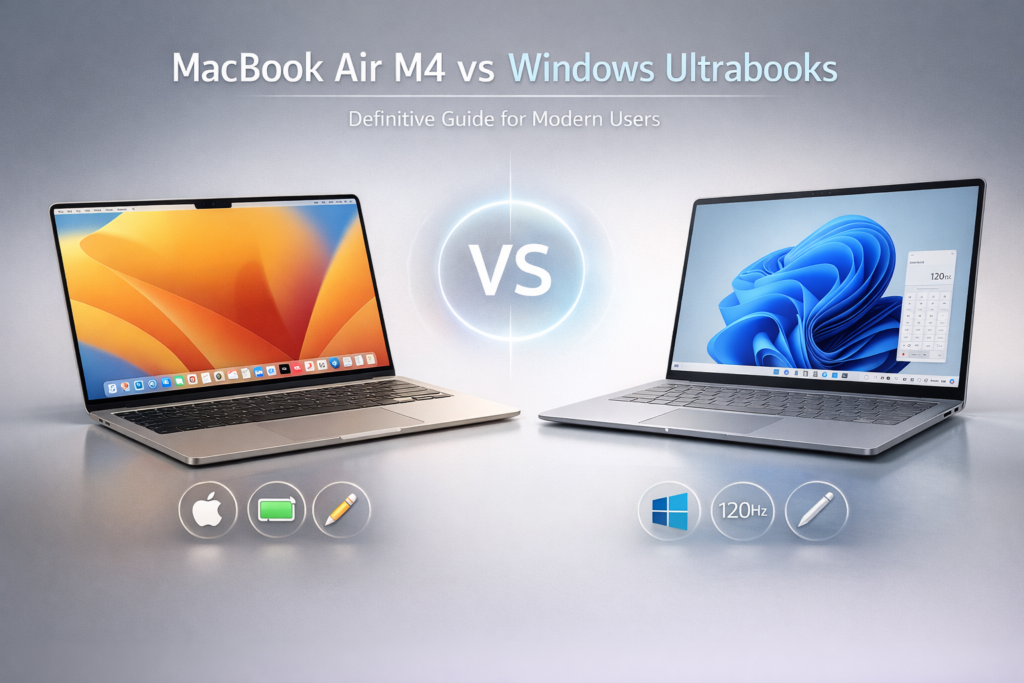
Laptop buyers today face a paradox: thin, light, powerful machines abound, but choosing between Apple’s ecosystem and high-end Windows ultrabooks can feel like picking two different computing philosophies. When the decision is between the MacBook Air M4 and today’s leading Windows ultrabooks, the real question isn’t “which is better?” but “which aligns with your workflow and priorities?”
This comparison goes beyond specs. It unpacks performance patterns, real-world behavior, ecosystem trade-offs, and the latent costs hiding behind marketing claims. By the end you’ll know where the MacBook Air M4 wins, where Windows ultrabooks catch up (or surpass), and which path actually makes sense for your use case.
A Quiet Shift in Laptop Priorities You’re Probably Underestimating
Five years ago, ultrabooks were about thinness and branding: featherweight bodies, glossy screens, and a checklist of ports. Today, the conversation is much deeper. Laptops are workstations, creative canvases, classroom hubs, and leisure consoles — all in one. The MacBook Air M4 and premium Windows ultrabooks (think Intel Evo or Ryzen 7/9 ultraportables) don’t just compete on numbers; they compete on lived experience.
Performance per watt has overtaken raw horsepower as the dominant buyer concern. Battery life rules mobile work. Thermals govern sustained tasks. Display accuracy matters for creators. Connectivity shapes hybrid work. And — crucially — platform lock-in determines how seamless the whole experience feels.
Understanding these dimensions is the key to answering: Which one makes sense for you?
How the M4 and Windows Ultrabooks Approach Performance Differently
Let’s start with the heart of every laptop: performance delivery under real-world demands.
| Metric | MacBook Air M4 | Windows Ultrabooks (2026 class) |
|---|---|---|
| CPU Architecture | Apple Silicon M4 – Unified Memory, high efficiency | Intel Evo / AMD Ultra / Snapdragon-class – variable efficiency |
| Sustained Load Behavior | Thermally efficient without fans | Varies widely; higher clocks, more heat |
| Integrated Graphics | Advanced integrated GPU (optimized Metal) | Integrated GPU plus optional discrete choices |
| Memory Efficiency | Unified memory reduces bottlenecks | Traditional architecture with varied RAM speeds |
| Performance per Watt | Industry leading | Competitive but platform dependent |
Why Performance Per Watt Matters
MacBook Air M4 isn’t about peak benchmarks — it’s about consistent real-world performance across tasks without throttling. Its unified memory architecture means the CPU and GPU share data efficiently, which shows up in:
- Fast application switching
- Smooth browser + multitasking
- Video export without thermal crunch
In contrast, many Windows ultrabooks strive for higher peak throughput but often at the expense of:
- Heat vs performance scaling
- Fan noise
- Battery drain under sustained load
This isn’t to say Windows machines are weaker — discrete GPU options and configurable TDPs let them outperform the Air in specific workloads — but the design philosophy differs.
Screens, Color, and Creator Realities
Displays define how you perceive your work. Students and creators quickly notice subtle differences in brightness, accuracy, and responsiveness.
| Display Aspect | MacBook Air M4 | Windows Ultrabooks |
|---|---|---|
| Panel Quality | Mac-calibrated retina grade | Variable (some class-leading, some average) |
| Color Accuracy | Excellent out of box | Depends on manufacturer |
| Refresh Rate | 60 Hz / optional adaptive | Frequently 120–165 Hz |
| Touch Support | No | Common on many models |
What This Means
- Creators who value color accuracy will appreciate Apple’s consistent calibration.
- Windows options often include adaptive refresh and touch screens — beneficial for animation, design interfaces, and casual browsing.
If you prioritize raw pixel fidelity and consistency without calibration fiddles, the Air has the edge. For multimedia flexibility and mixed input modalities, Windows wins more often.
Battery Life and Portability: The Hidden Productivity Factor
A laptop isn’t truly mobile if it dies before your day does.
| Battery Metric | MacBook Air M4 | Windows Ultrabooks |
|---|---|---|
| Rated Endurance | ~18–22 hrs typical | ~8–15 hrs typical |
| Real-World Mixed Use | Strong consistency | Wide variance |
| Standby Power Draw | Near negligible | Dependent on firmware |
| Latency | Ultra Low in Apple ecosystem | Variable (best with LDAC on Android) |
| Battery Life (ANC on) | ~6–7 hrs per charge | ~30 hrs per charge |
The M4’s ultra-efficient silicon delivers battery life that rarely surprises you with a dead battery mid-day. Many Windows ultrabooks can match short tasks but often taper sharply under continuous load.
Battery life directly affects productivity, not just convenience — fewer recharges mean fewer interruptions to flow states.
Ecosystem and Software: More Than Convenience
Here’s where the gap gets philosophical: ecosystem isn’t just about devices talking to one another. It’s about:
- How apps feel
- How updates behave
- How accessories function
- How your workflow persists across sessions
MacBook Air M4 Ecosystem Gains
- Universal Clipboard, Handoff, AirDrop — frictionless content moves
- Optimized app ecosystem — many pro creative tools tuned for Apple Silicon
- Longer OS support — consistent updates for years
Windows Ultrabook Ecosystem Gains
- Platform diversity — broad hardware, software choice
- Touch and stylus standards
- Productivity and enterprise tool depth
- Backward compatibility for legacy workflows
Creators embedded in Adobe, Final Cut Pro, Logic Pro ecosystems see smooth synergy on Mac. But Windows remains dominant for specialized engineering apps, legacy suites, and powerful enterprise toolchains.
Ports, Expandability, and Real-World Workflow
Port selection reflects design compromises.
| Connectivity | MacBook Air M4 | Windows Ultrabooks |
|---|---|---|
| USB-C / Thunderbolt | 2× TB4 | Often 2–3+ ports |
| HDMI | Optional via adapter | Often native |
| SD Card | Adapter required | Frequently onboard |
| Expansion Flexibility | Limited | More options, varied |
Windows ultrabooks tend to be more pragmatically port-rich, supporting direct connections without dongles. For creators constantly lugging external drives, displays, and capture devices, that can save time and frustration.
Conversely, Mac’s minimalist approach demands adapters, but benefits from universal Thunderbolt performance if you invest in a dock.
Thermal Behavior and Sustained Productivity
Performance matters more when sustained over time.
- MacBook Air M4: Fanless design manages heat gracefully; performance stays stable under extended work without noise.
- Windows ultrabooks: Higher peak clocks can deliver short bursts of speed, but heat and fan noise often ramp up during long encodes or compilations.
If your workflow includes long renders, batch exports, or code builds, you’ll notice this difference in:
- Thermal consistency
- Fan noise
- Surface temperature during lap use
The Air trades peak clocks for thermal peace — a worthwhile exchange for many creators and students.
Platform Lock-In vs Freedom of Choice
Platform lock-in isn’t merely an inconvenience — it’s an investment decision.
MacBook Air M4 ties you into:
- Apple services
- iCloud workflows
- Mac-optimized apps
Windows ultrabooks let you choose:
- Hardware from multiple vendors
- Custom peripherals
- Open software ecosystems
For some, ecosystem choice is freedom. For others, integration is productivity.
Quick Comparison Table — Core Attributes
| Dimension | MacBook Air M4 | Windows Ultrabooks (Top Tier) |
|---|---|---|
| Everyday Performance | Smooth and snappy | Strong, variable by configuration |
| Sustained Workloads | Thermally consistent | High at bursts, variable otherwise |
| Battery Endurance | Class-leading | Competitive but inconsistent |
| Display Variety | Single high-quality option | Broad spectrum (touch, high refresh) |
| Port Selection | Minimalist | More generous |
| Ecosystem Integration | Deep, seamless | Wide, flexible |
| Software Availability | Apple-centric optimization | Broadest catalog |
How This Actually Affects Your Day-to-Day
For Students
If your typical day includes:
- Lecture note-taking
- Web research
- Multitasking between browser tabs and docs
- Media playback between work sessions
…then battery life and consistent performance matter more than peak throughput. Air’s efficiency and integration with iPads/phones can simplify your workflow.
Windows ultrabooks shine when:
- You rely on specialized software
- You value touchscreens or stylus input
- You want more I/O without adapters
For Creators (Audio, Photo, Video)
Air is compelling when:
- You use tools tuned for Apple Silicon
- You value color-accurate displays and quiet thermals
- You want long battery life without throttling
Windows ultrabooks lead when:
- You need discrete GPU acceleration
- You rely on Windows-only creative suites
- You connect to multiple external peripherals
When the Verdict Isn’t Clear-Cut
There are borderline scenarios:
- High-end gaming isn’t either’s focus, though Windows can offer discrete GPU paths.
- Enterprise environments might mandate Windows for legacy apps or security frameworks.
- Budget constraints can pull you toward equally capable but more affordable Windows ultrabooks.
In these cases, the decision map shifts from performance to practical necessity.
Which One Makes Sense For You
| Profile | Better Fit |
|---|---|
| Mobile productivity with long battery life | MacBook Air M4 |
| Touchscreen/pen workflows | Windows ultrabooks |
| Adobe/creative workflows with battery endurance | Air excels for mobility; Windows strong with discrete GPUs |
| Enterprise/legacy app dependency | Windows ultrabooks |
| Students prioritizing seamless ecosystem | MacBook Air M4 |
| Multi-monitor + varied peripherals | Windows ultrabooks |
Which Laptop Philosophy Will Win Your Workflow?
Your choice isn’t about better laptops — it’s about better alignment with your habits. The MacBook Air M4 wins on seamless integration, battery endurance, and thermal confidence. Windows ultrabooks win on flexibility, input diversity, and raw configurability.
Both classes have matured to the point where neither is objectively inferior — only differently optimized.
Vibetric Ending
If you want a tool that just works, all day long, with minimal adjustments and predictable behavior, the MacBook Air M4 delivers that promise. If you want a machine that adapts to diverse tasks, input methods, and hardware ecosystems, a Windows ultrabook will make more sense.
Which Platform Fits Your Workflow?
- Follow vibetric_official on Instagram to keep up with ongoing comparisons between leading laptops and ecosystems.
- Bookmark Vibetric.com our recommendations evolve as new silicon and design trends emerge.
Subscribe for future breakdowns that help you match hardware to real work and creative outcomes.
Common Considerations Before You Buy
Not natively — you’ll need virtualization or cloud streaming for many Windows-only applications.
Yes, reliability depends on brand and configuration; many achieve excellent long-term stability, especially business-focused models.
In mixed use, the Air’s power efficiency typically outlasts many Windows rivals, especially under sustained workloads.
Yes — touch and stylus input are more common and better integrated on Windows machines.
Yes, but workflows differ: macOS excels with certain creative suites, while Windows offers broader software access.
Yes — efficiency translates directly to real-world productivity without thermal surprises.
Some do, but at a cost to battery life and weight — a trade-off worth considering.
Apple provides long OS support cycles; Windows updates are frequent but may impact stability variably.
Not always, but native HDMI/USB-A on Windows models reduces adapter dependency.
Occasionally — macOS may lack legacy app support; Windows may have driver inconsistency on certain hardware.
What’s your take on this?
At Vibetric, the comments go way beyond quick reactions — they’re where creators, innovators, and curious minds spark conversations that push tech’s future forward.
AI Audio Tuning in 2026: The Intelligent Shift Redefining Sound
AI Audio Tuning in 2026: The Intelligent Shift Redefining Sound The next major leap in audio isn’t louder drivers or wider frequency
Adaptive Transparency Mode in 2026: The Intelligent Evolution Beyond Basic Passthrough
Adaptive Transparency Mode in 2026: The Intelligent Evolution Beyond Basic Passthrough Noise cancellation used to be the headline feature. Transparency was the