
Best Laptops of 2025 for Students, Creators & Travelers — Global Edition
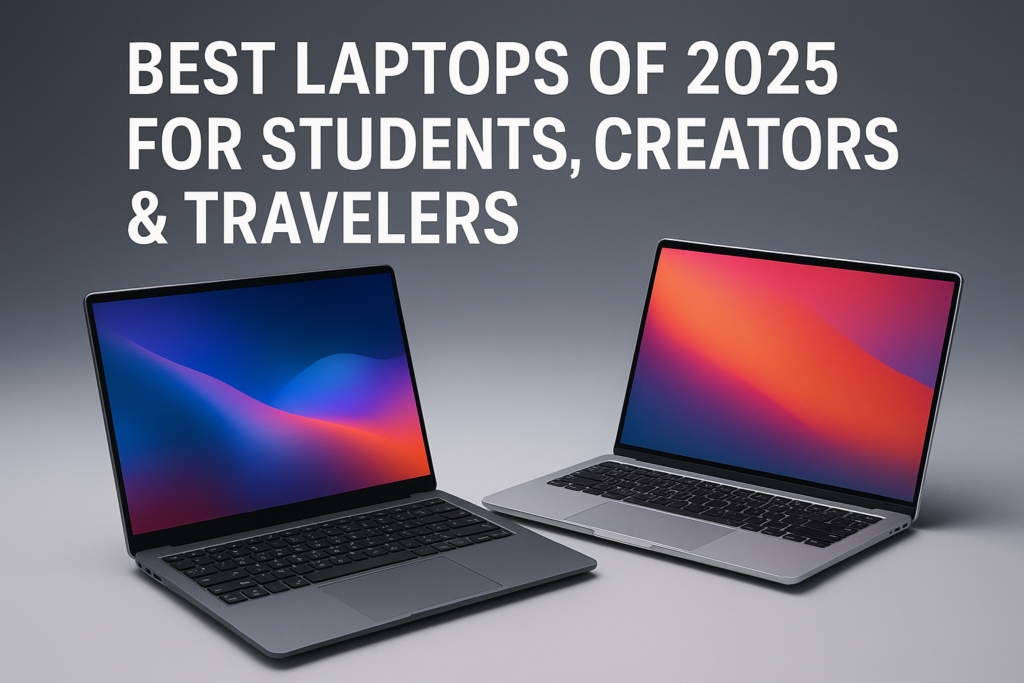
Every year, laptops get thinner, faster, and more expensive. Yet the people who rely on them most—students drowning in deadlines, creators chasing the perfect frame, and travelers working between airports—still face the same universal struggle: how do you find a device that does everything without costing more than it should? It’s easy to feel lost in the noise. But beneath the chaos, a clearer pattern has emerged—one that exposes what really defines the best laptops for students and for anyone who depends on mobility. And that’s where this guide takes a sharper turn.
A Day in Motion
Picture yourself bouncing between environments: the morning bus ride where you’re catching up on lecture notes, the café where you’re editing a client reel, and the last-minute flight that forces your laptop into overtime mode. The device you carry isn’t just hardware—it’s a workspace, studio, travel hub, and lifeline. The demands feel contradictory: extreme portability but solid performance, long battery life but vibrant displays, smooth multitasking but a student-friendly budget. And somewhere in the middle, the market keeps shifting, adding even more variables to the search for the perfect fit.
The Hidden Challenge in 2025
Everyone sees laptop shopping as a simple spec comparison. But the deeper reality is more fragmented: manufacturers now design with specific user habits in mind. Student workflows have grown heavier, creator tools are more demanding, and traveler expectations lean toward all-day endurance with minimal weight. Devices have become hyper-specialized, yet marketing often makes them look the same.
That disconnect feeds the real challenge: identifying the best laptops for students or creators requires understanding the engineering priorities behind each category—not just the specs advertised on the surface.
How 2025 Laptop Design Really Works
The Assumptions People Make
One common misconception is that students only need budget machines. While affordability matters, their workloads increasingly include design apps, video meetings, and multitasking that basic processors struggle with. Travelers, on the other hand, often buy ultraportables without realizing how much performance they sacrifice. And creators sometimes overspend on high-end GPUs they rarely exploit outside niche workflows.
The gap between perceived needs and actual usage is wider than ever.
The Engineering Behind Modern Requirements
Under the hood, 2025 laptops follow distinct engineering priorities shaped by user type:
Micro-Table: Internal Design Priorities
| User Type | Hardware Priority | Secondary Priority | Result |
|---|---|---|---|
| Students | Balanced CPU efficiency | Battery stability | Reliable multitasking & long runtime |
| Creators | High-end GPU/CPU synergy | Color-accurate displays | Smooth rendering & precise visuals |
| Travelers | Low-power processors | Lightweight chassis | All-day mobility with minimal bulk |
The deeper truth is that manufacturers now optimize differently at a silicon level. Chips such as Intel’s 14th-gen Core i5/i7 and AMD’s Ryzen 7000-series emphasize energy management for daily users. Meanwhile, Apple’s M2 Pro/M3 chips focus on consistent sustained performance for media workloads—a gap that has reshaped what counts as the best laptops for students versus creators.
Why Brands Strategize This Way
Laptop brands aren’t simply building machines—they’re crafting narratives. Students are marketed “value,” creators are sold “precision,” and travelers are offered “freedom.” These narratives influence design choices:
- Students get mid-tier processors with efficient thermals because cost sensitivity is high.
- Creators receive advanced cooling and stronger GPUs because their apps expose weak hardware instantly.
- Travelers are offered lighter builds, premium materials, and smaller batteries to reduce weight.
The segmentation isn’t accidental—it’s calculated.
What 2025 Will Prioritize Next
The next evolution revolves around adaptive systems. AI-driven optimization is becoming standard, allowing laptops to reallocate power based on live tasks. Expect upcoming generations to:
- Predict workloads and boost performance accordingly
- Extend battery runtime via dynamic power gating
- Improve thermal control through learning algorithms
As these systems mature, the lines between categories will shift—potentially redefining the best laptops for students by making mid-range devices smarter, not just faster.
Real-World Scenarios
When Students Need More Than “Basic”
A university student writing essays in the morning may end up editing a presentation in the afternoon and gaming lightly at night. Devices like the Lenovo IdeaPad 5 15 fill this niche. Its Intel Core i5 and large SSD give room for multitasking, while its battery endurance keeps it classroom-ready without relying on wall outlets.
Creators Chasing Precision
A freelance videographer who needs stable rendering across multiple apps will gravitate toward the Apple MacBook Pro 16 (M2 Pro). Beyond raw power, its color-accurate Retina display and quiet thermal performance create a predictable environment for deadline-driven work.
Travelers Moving Constantly
For the traveler who writes reports in airports and joins calls on trains, the HP Spectre x360 14’s lightweight chassis and durable battery become crucial. Performance isn’t compromised heavily, but mobility is maximized—a balance this category rarely achieved years ago.
Quick Snapshot Table
| Scenario | Best Fit | Why It Works | Special Advantage |
|---|---|---|---|
| Lecture-heavy student | Lenovo IdeaPad 5 | Efficient CPU, long battery | Budget-friendly |
| Pro video editor | MacBook Pro 16 M2 Pro | Superior GPU/CPU synergy | Best thermals |
| Digital nomad | HP Spectre x360 | Lightweight, durable | Long flights + travel |
| Hybrid creator/student | ASUS ZenBook Flip | 4K OLED, flexible modes | Great value |
| Frequent flyer | Dell XPS 13 | Compact + premium build | Excellent portability |
| Mobile photographer | MacBook Air M2 | Superb color accuracy | Best endurance |
What the Data Suggests
Market behavior in 2025 shows a clear pattern: mid-range laptops dominate student purchases, while creators push toward Apple’s M-series ecosystem for stability. Travelers lean toward 13–14-inch models with aluminum builds and battery efficiency above all else.
The mid-tier sweet spot—Core i5, Ryzen 5, 8–16GB RAM—continues to define the best laptops for students, while creators consistently invest in systems above $1,500 for professional output reliability.
How It Affects Real People
A student with a sluggish device loses focus as apps lag and tabs freeze. A creator relying on slow exports loses momentum—and revenue. A traveler whose battery dies mid-journey loses productivity at the worst moment. When the laptop matches the lifestyle, however, friction disappears. Work feels lighter. Deadlines aren’t bottlenecked by hardware. Creativity flows. Travel becomes smoother.
The right laptop doesn’t just improve workflow—it changes daily rhythm.
Choosing the Right Laptop for Who You Are
Below is a practical framework for navigating the 2025 landscape.
Buyer Guide
| User Type | Recommended Laptop | Key Features | Price Range |
|---|---|---|---|
| Everyday Student | Lenovo IdeaPad 5 | Core i5, 8GB RAM, 512GB SSD | $750–$900 |
| Professional Creator | MacBook Pro 16 (M2 Pro) | M2 Pro, 16GB RAM, 1TB SSD | $2,000–$2,400 |
| Traveler | HP Spectre x360 14 | Core i7, 16GB RAM | $1,200–$1,500 |
| Budget Creator | ASUS ZenBook Flip 14 | Ryzen 7, 16GB RAM, OLED | $1,300–$1,600 |
Pros & Cons Snapshot
| Category | Pros | Cons |
|---|---|---|
| Student Laptops | Affordable, balanced | Limited for advanced editing |
| Creator Laptops | Superior power & displays | Expensive, heavier |
| Travel Laptops | Lightweight, long battery life | Smaller screens |
| Budget Creators | Great value | Not top-tier performance |
A Different Point of View
There’s a growing argument that many users overestimate their needs. Not every student needs a MacBook Pro; not every creator needs an RTX-powered Windows machine. Devices like the ZenBook Flip or Dell XPS 13 prove that balanced systems often outperform raw horsepower in everyday conditions. Overspending rarely translates to better real-world results.
What Users on Reddit Highlight
Communities across r/laptops, r/StudentTech, and r/creators share recurring themes.
User Reality Table
| User Type | Feedback Summary | Relevance |
|---|---|---|
| Student | “Lenovo IdeaPad gives me everything I need.” | Budget wins |
| Creator | “MacBook Pro handles all my workloads.” | Power matters |
| Traveler | “Spectre x360 is my perfect travel companion.” | Portability dominates |
| Hybrid user | “My XPS 13 does both work & travel easily.” | All-around balance |
| Budget creator | “ZenBook OLED screens are unbeatable for the price.” | Value-driven |
| Developer student | “16GB RAM is a must now.” | Memory matters |
Across communities, affordability shapes student decisions while raw power shapes creator preferences. Travelers emphasize weight and durability above everything else—screens and performance come second. Hybrid users seek one device that fits all scenarios, but still accept compromises. OLED displays get praise, while loud fans and short battery life receive the most complaints.
What’s Coming Next
Expect stronger AI system management, longer battery cycles, and more emphasis on sustainability. By 2027, laptops may shift toward integrated connectivity, smarter thermal behavior, and improvements that make mid-range models even more capable—reshaping what counts among the best laptops for students, creators, and travelers globally.
Closing Narrative
Think back to that chaotic day—the bus ride, the café edit session, the airport sprint. The laptop you carry should adapt to that rhythm, not disrupt it. With the right device, studying becomes smoother, creative work becomes lighter, and travel becomes easier. In 2025, choice isn’t about chasing specs; it’s about choosing a partner that moves with your life.
Vibetric Ending
In a world defined by mobility and creativity, the laptop you choose becomes part of your identity. Choose the one that amplifies your potential.
Want to See How Laptops Will Evolve in the Future?
- Follow vibetric_official on Instagram to keep up with the latest trends and insights into laptop technology.
- Bookmark Vibetric.com we continuously update our analysis as new developments emerge in the industry.
- Subscribe for updates and receive ongoing, in-depth breakdowns and expert opinions.
FAQ: The Best Laptops for Students, Creators, and Travelers in 2025
- What are the best laptops for students in 2025?
Devices like the Lenovo IdeaPad 5 and Dell XPS 13 offer strong performance, stability, and battery life, making them excellent choices.
- Do creators still need dedicated GPUs?
For heavy video editing or 3D work, yes. For lighter creative tasks, integrated modern GPUs or Apple M-series chips are often enough.
- What’s the ideal laptop size for travel?
The 13–14 inch range balances comfort, portability, and battery longevity.
- Are OLED screens worth it?
For color-critical work and entertainment, absolutely—though they may reduce battery life slightly.
- How much RAM should students get?
8GB works, but 16GB is becoming the safer long-term choice.
- Is the MacBook Pro overkill for students?
For most, yes. Unless the student is working in creative fields, mid-range devices offer better value.
- Which laptop lasts the longest on battery?
Apple’s MacBook Air remains the endurance leader for everyday users.
- Are convertible laptops good for creators?
They’re excellent for sketching, quick edits, and flexible workflows, though not always as powerful as dedicated creator machines.
- What’s a safe budget for a reliable 2025 laptop?
$700–$1,000 covers excellent student models; creators will need around $1,500–$2,000.
- How do I future-proof my laptop?
Aim for modern CPUs, at least 16GB RAM, and SSD storage. Prioritize quality thermals and durable builds for longevity.
What’s your take on this?
At Vibetric, the comments go way beyond quick reactions — they’re where creators, innovators, and curious minds spark conversations that push tech’s future forward.
Snapdragon X Elite Gen 2 Laptops: Powerful Shift for Windows on ARM
Snapdragon X Elite Gen 2 Laptops: Powerful Shift for Windows on ARM For years, Windows laptops have chased performance in familiar ways:
Windows AI PCs 2026 — The Powerful Shift Toward Intelligent Computing
Windows AI PCs 2026 — The Powerful Shift Toward Intelligent Computing For years, PC upgrades were measured through familiar metrics—faster processors, better