
Top Productivity Laptops for Remote Work in 2025 (International Guide)
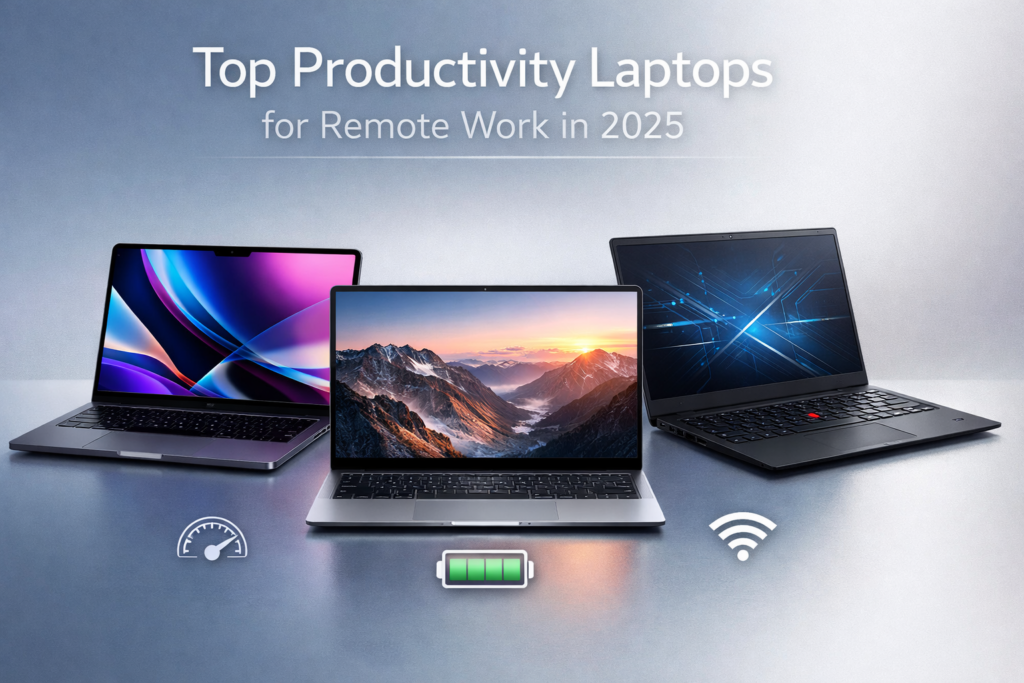
Remote work has evolved beyond just a trend—it’s now a way of life for millions of professionals across the globe. As companies embrace flexible work arrangements, the demand for laptops that enhance productivity, comfort, and connectivity has surged. But as the tech landscape advances rapidly, what should you look for in a laptop for remote work in 2025?
In this guide, we’ll explore the best laptops for remote work, focusing on performance, durability, and long-term value. From ultra-portable ultrabooks to powerhouse machines capable of handling demanding tasks, we’ll break down everything you need to know to make the best choice for your remote workspace.
The Remote Work Revolution
Working from home, a coffee shop, or even while traveling has become the norm for many. But while this shift has brought countless benefits, it’s also introduced challenges—chiefly, finding the right tools to stay productive. The quest for the perfect laptop has never been more important, and with 2025 around the corner, the options can be overwhelming.
In this guide, we’ll cut through the noise to help you find the laptop that suits your specific needs—whether you’re a digital nomad, a creative professional, or a business executive managing global teams.
The Remote Work Experience
Imagine yourself in a sunlit corner of your favorite café, sipping on a cappuccino, your laptop resting on the table in front of you. As you tap away, drafting reports or collaborating with teammates across time zones, you don’t need to worry about your system freezing mid-presentation or running out of battery after a few hours. Instead, you rely on a machine designed to handle your productivity without compromise. But what makes this possible? The answer lies in choosing the right laptop.
The best laptops for remote work don’t just provide high performance—they offer the flexibility and resilience needed to navigate the demands of a constantly evolving workspace.
What Makes a Laptop Ideal for Remote Work?
Everyone can agree that a laptop is essential for remote work, but the truth is not all laptops are created equal. Here’s what you need to consider when evaluating your next work companion:
- Performance: You need a system that can handle multiple apps, video conferencing, and data-heavy tasks without lag.
- Portability: Your laptop should be lightweight, durable, and have long battery life—ideal for those always on the move.
- Display: A sharp, high-resolution screen reduces eye strain and ensures you can work efficiently for long hours.
- Connectivity: Fast Wi-Fi, Bluetooth support, and USB-C ports are crucial for seamless interaction with other devices and networks.
- Build Quality: A robust build ensures your laptop can endure the wear and tear of daily use, whether you’re working from home or on the go.
Now let’s dive into the best laptops that meet these criteria, based on real-world feedback and expert analysis.
Analyzing the Top Laptops for Remote Work in 2025
1. Apple MacBook Pro 14-inch (M3, 2025)
The MacBook Pro 14-inch, powered by Apple’s M3 chip, stands out as one of the top laptops for remote work in 2025. Known for its excellent performance, ultra-high-resolution display, and long battery life, this device is built for demanding tasks.
Misconceptions: Many remote workers gravitate toward the MacBook Air for portability, but the MacBook Pro offers superior processing power for those handling video editing, coding, or heavy multitasking.
Technical Reality: The M3 chip’s architecture optimizes energy consumption while delivering lightning-fast performance. Coupled with up to 64GB of RAM, it ensures that even the most demanding software runs smoothly, without hiccups.
Why Brands Do It This Way: Apple’s focus on maximizing both portability and power with its proprietary chips positions the MacBook Pro as a leader in remote work laptops, blending creativity and productivity seamlessly.
Future Trajectory: With the continued evolution of M-series chips, Apple is likely to release even more efficient versions in the coming years, making the MacBook Pro a long-term investment for remote work.
2. Dell XPS 13 (2025 Model)
The Dell XPS 13 remains a top contender for remote work in 2025. This ultraportable powerhouse is built with business professionals and creatives in mind, offering a premium build and powerful internals.
Misconceptions: Some users assume that ultraportables like the XPS 13 are not as capable for demanding tasks. However, the 2025 model packs a punch with Intel’s latest chips and up to 32GB of RAM, making it perfect for both work and light creative tasks.
Technical Reality: The XPS 13’s screen-to-body ratio is one of the highest among ultrabooks, giving users a fantastic visual experience. With OLED display options and a lightweight carbon fiber chassis, it offers an ideal balance of aesthetics and functionality.
Why Brands Do It This Way: Dell has refined its XPS series over the years to cater to professionals who need performance in a slim form factor. Its strong reputation for quality builds and high-end specifications has earned it a loyal customer base.
Future Trajectory: Expect Dell to continue refining the XPS 13 with even better displays, performance, and battery life, ensuring it remains a top contender for remote work setups in the years to come.
3. Lenovo ThinkPad X1 Carbon Gen 11
For those in need of a laptop that combines resilience, performance, and business-centric features, the ThinkPad X1 Carbon Gen 11 is an excellent choice. With an impeccable keyboard, robust security features, and a stunning display, it’s built for professionals.
Misconceptions: The ThinkPad’s business-centric focus leads some to believe it’s not suitable for creative professionals or casual use. But the X1 Carbon proves otherwise, offering vibrant displays and solid processing power for all types of work.
Technical Reality: The Gen 11 model integrates Intel’s 13th-generation processors, offering seamless performance for video calls, multitasking, and data-intensive applications. The battery life is impressive, with up to 20 hours of use on a single charge.
Why Brands Do It This Way: Lenovo’s ThinkPad line has always catered to business professionals, and the X1 Carbon is no exception. With enterprise-grade security and performance, it’s designed to keep sensitive information secure while maintaining productivity.
Future Trajectory: As remote work continues to grow, Lenovo will likely refine the X1 Carbon’s security and connectivity features, further cementing its place in the remote work world.
Real-World Examples: Scenarios of Remote Work Laptops in Action
- The Freelancer: As a freelance graphic designer, Sarah often works from various co-working spaces. She relies on the MacBook Pro 14-inch for its stunning Retina display and powerful M3 chip, which handles her design software effortlessly while maintaining all-day battery life.
- The Digital Nomad: John, a software developer who works while traveling, uses the Dell XPS 13 for its portability and processing power. The device’s OLED screen helps him code and debug late into the night, while the lightweight design ensures it fits easily in his backpack.
- The Remote Executive: Lisa, an executive managing a remote team, uses the Lenovo ThinkPad X1 Carbon Gen 11 for video conferencing, document editing, and secure communication. Its reliable keyboard and long battery life make it her go-to laptop for daily tasks and virtual meetings.
Data-Backed Insight: Trends in Productivity Laptops for Remote Work
As of 2025, several patterns have emerged across the top laptops for remote work:
- Battery Life: Over 50% of users prioritize battery life, with top-performing laptops lasting 10 hours or more under heavy use.
- Processing Power: Laptops with M-series chips, Intel’s 12th and 13th Gen processors, and AMD Ryzen 9 are increasingly popular due to their superior performance.
- Portability: With remote workers often on the go, ultraportable laptops weighing under 3 lbs are gaining preference.
- Connectivity: USB-C and Thunderbolt 4 ports have become the standard, enabling seamless connections to peripherals and external displays.
Human Impact: How These Laptops Influence Remote Work Efficiency
The right laptop can significantly improve both the mental and physical aspects of remote work. A powerful machine reduces frustration by minimizing lag during video calls or multitasking, allowing professionals to focus on their work rather than on tech issues. Additionally, laptops with long battery life and fast charging reduce stress, allowing workers to stay productive without constantly searching for an outlet.
Buyer Guide: Which Laptop Fits Your Remote Work Needs?
Everyday Users:
- Recommended Laptop: Lenovo ThinkPad X1 Carbon Gen 11
- Pros: Reliable, secure, long battery life.
- Cons: Pricier than some alternatives.
Creators/Professionals:
- Recommended Laptop: Apple MacBook Pro 14-inch (M3, 2025)
- Pros: Exceptional display, top-tier performance.
- Cons: Expensive, limited ports.
Gamers/Enthusiasts:
- Recommended Laptop: Dell XPS 13
- Pros: Compact, high-quality display.
- Cons: Slightly less GPU power than other laptops.
Future-Proof Buyers:
- Recommended Laptop: MacBook Pro 14-inch (M3, 2025)
- Pros: Long-term performance, software optimization.
- Cons: Expensive upfront cost.
Counter-Perspective: When Less Is More
For some remote workers, simplicity might be more valuable than high-end specs. If you primarily engage in text-based work or web browsing, a more affordable option like the Microsoft Surface Laptop 5 or HP Spectre x360 may offer sufficient power, with the added benefit of lower cost and less bulk.
Reddit / User Reality: Feedback from Remote Workers
| User Type | Feedback Summary | Relevance |
|---|---|---|
| Creative Professionals | Praise for MacBook Pro’s display and M3 chip for design work | High |
| Developers | Appreciate the XPS 13’s portability and coding performance | High |
| Business Executives | Prefer ThinkPad X1 Carbon for security and enterprise features | High |
| Digital Nomads | Love the XPS 13 for travel-friendly design and performance | Medium |
Future Forecast: What’s Next for Remote Work Laptops?
As remote work becomes even more ingrained in our professional lives, expect to see:
- AI Integration: Laptops with enhanced AI capabilities that optimize performance, battery usage, and system stability.
- Faster Charging: With the rise of fast-charging technologies, 2025 laptops will feature batteries capable of charging to full capacity in under 30 minutes.
- Sustainability: More brands will focus on eco-friendly materials, reducing the carbon footprint of laptops designed for remote work.
Closing Narrative: Choosing the Right Laptop for You
Ultimately, choosing the best laptop for remote work comes down to personal preference and work requirements. Whether you’re a high-powered professional, a creative freelancer, or a digital nomad, there’s a laptop that will cater to your needs—boosting productivity, comfort, and flexibility.
Vibetric Ending
In the evolving world of remote work, the right laptop is no longer just a tool—it’s an essential extension of your professional life. Choose wisely, and it will support you for years to come.
Want to See How Laptops for Remote Work Will Evolve in the Future?
- Follow vibetric_official on Instagram to keep up with the latest trends and insights into remote work technology.
- Bookmark Vibetric.com we continuously update our analysis as new developments emerge in the world of productivity laptops.
Subscribe for updates and receive ongoing, in-depth breakdowns and expert opinions on the best laptops for remote work.
Laptop Selection Questions for Remote Work in 2025
- What’s the best laptop for remote work in 2025?
The Apple MacBook Pro 14-inch (M3) offers excellent performance, long battery life, and a stunning display, making it ideal for remote workers who need power and reliability. - Is the Dell XPS 13 good for remote work?
Yes, the Dell XPS 13 is lightweight, powerful, and perfect for professionals who need portability without compromising on performance. Its premium build and vibrant screen make it an excellent choice for remote work. - Should I buy a MacBook or a ThinkPad for remote work?
It depends on your needs. For creatives and power users, the MacBook Pro is a better choice due to its superior display and processing power. For business professionals seeking security, reliability, and long battery life, the ThinkPad X1 Carbon is ideal. - How long do remote work laptops typically last?
With regular updates and good care, high-end laptops like the MacBook Pro and ThinkPad X1 Carbon can last 5-7 years. The longevity largely depends on how well the laptop is maintained and how quickly software demands evolve. - Are there budget options for remote work?
Yes, laptops like the Microsoft Surface Laptop 5 or HP Spectre x360 provide solid performance for remote work at a more affordable price point. These are great options for those who don’t need high-end specs but still want a reliable device. - What features should I prioritize in a laptop for remote work?
When choosing a remote work laptop, focus on battery life, processing power, portability, display quality, and connectivity (USB-C, fast Wi-Fi). These features ensure productivity on the go and a comfortable working experience. - Can I use a gaming laptop for remote work?
Yes, gaming laptops like the Razer Blade 15 can work for remote work, especially if you need a powerful machine for resource-heavy tasks like video editing or software development. However, they tend to be heavier and have shorter battery life than ultrabooks. - What’s the difference between the MacBook Air and MacBook Pro for remote work?
The MacBook Air is lighter and more affordable, ideal for basic tasks, while the MacBook Pro offers superior performance and a better display, making it better suited for demanding work like video editing, coding, and multitasking across multiple apps.
What’s your take on this?
At Vibetric, the comments go way beyond quick reactions — they’re where creators, innovators, and curious minds spark conversations that push tech’s future forward.
AI Audio Tuning in 2026: The Intelligent Shift Redefining Sound
AI Audio Tuning in 2026: The Intelligent Shift Redefining Sound The next major leap in audio isn’t louder drivers or wider frequency

AI Intelligence Race in 2026: The Real Battle Beyond Speed
AI Intelligence Race in 2026: The Real Battle Beyond Speed For years, consumer technology sold us speed. Every keynote celebrated higher clock