
What’s New in Android 16? — Must-Know Features That Actually Matter
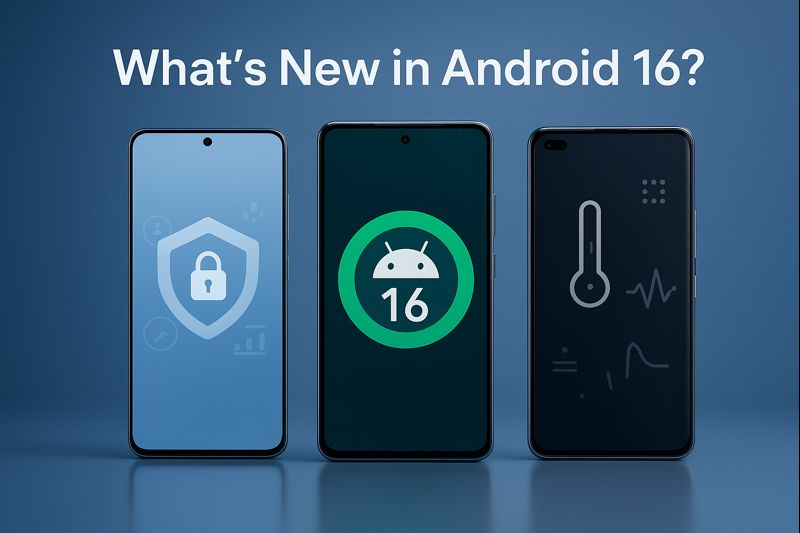
Every year, a new Android version lands with glossy promises, but most users barely feel the difference. Notifications shuffle around, animations smooth out, settings menus morph again—and we move on. Android 16 is different. Behind the familiar interface are shifts that quietly rewire daily use, especially for people juggling privacy, multitasking, and long-term device longevity. What looks incremental hides something deeper—if you know where to look.
A New Kind of Android Moment
The first time you boot into the Android 16 update, the phone looks unchanged—same wallpaper, same app grid, same gestures. But subtle cues emerge: background processes feel more intentional, app transitions behave differently, and a new security prompt interrupts your routine. It’s like someone tightened bolts inside the operating system without announcing which ones.
This year isn’t about cosmetic flair. Android 16 is a stability-first release, built around user trust and invisible intelligence. And that philosophy reshapes everything from performance behavior to personal data flows.
The Core Shift Behind Android 16
Most people assume Android updates revolve around new animations or headline AI features. But the truth is simpler: Android 16 is Google quietly rewriting the foundation for long-term device sustainability. It’s less about eye-catching change and more about systemic re-engineering.
While past versions chased novelty, this release leans into consistency, restraint, and better support for modern hardware standards.
Inside the Android 16 Update: What Really Changed
What We Often Misunderstand About Android Updates
Users expect radical redesigns every year, but that’s not the real direction of OS evolution anymore. Major overhauls now arrive through Google Play system modules, not once-a-year OS drops. That means:
- Most UI elements evolve gradually.
- Core functions are pushed via monthly updates.
- Yearly releases focus on stability, efficiency, and device longevity.
Android 16 fits this pattern: quiet upgrades that matter in daily use, not flashy features destined to be forgotten.
The Technical Reality Behind Android 16
- Smarter Background Process Orchestration
Android has always had strict process management, but this year introduces adaptive context-based throttling. Instead of simply limiting apps, Android 16 predicts load curves and prepares resources ahead of time—reducing jank and micro-stutters.
- Reinforced Permission Flows
Two major upgrades stand out:
- Granular control for location, sensor, and clipboard behavior
- Ongoing permission audits that alert users when apps behave abnormally
This is Google leaning aggressively into user-first security without creating friction.
- New Display & Thermal APIs
With phones running hotter due to AI workloads, Android 16 adjusts refresh rates, background AI tasks, and sensor polling based on predicted thermal impact. It’s subtle—but your device remains cooler, especially during prolonged sessions.
Why Google Structured the Update This Way
The Android ecosystem struggles with:
- Fragmentation
- Inconsistent OEM implementations
- Increasing hardware diversity
- Rising AI workloads
- Longer device lifespans due to support commitments
Android 16 is built as a unification layer, giving device makers clearer rails and giving users longer, more stable performance windows. This isn’t flashy. It’s necessary.
Where This Takes Android in the Future
Android 17 and 18 will likely build on this groundwork:
- AI-native interactions
- Thermal-intelligent performance scaling
- Deeper Google Play modularity
- Stronger per-app isolation
- Unified accessibility layers
Android 16 is the first step toward an OS that feels prediction-based rather than reaction-based.
Micro-Table — What’s New Under the Hood
| Area | What Android 16 Changes |
|---|---|
| Background AI | Predictive resource allocation |
| Privacy | Enhanced sensor permission auditing |
| Display | More granular refresh rate control |
| Battery | Adaptive thermal power scaling |
| Multitasking | Improved process prioritization |
Real-World Examples: How Android 16 Behaves Day-to-Day
Scenario 1: Heavy Multitasker
You jump between email, maps, messaging, notes, and a browser with 20 tabs open. On previous versions, certain apps might reload or lag when switching. Android 16 predicts app-switching behavior and pre-allocates RAM more intelligently. The result: fewer app restarts and smoother transitions.
Scenario 2: Privacy-Conscious User
If an app accesses sensors in the background—especially microphone, camera, motion, or clipboard—Android 16 alerts you quicker and provides a short reason log. This reduces blind spots without flooding you with warnings.
Scenario 3: Mobile Gamer
Thermal balancing kicks in early. Instead of sudden throttling during long sessions, Android 16 distributes load more evenly. Games run at stable frame rates longer, and your device stays cooler.
Scenario 4: Content Creator
Camera apps get more consistent access to memory and I/O bandwidth. Combined with better thermal management, recording longer clips is less prone to stutter or overheating.
Quick Snapshot Table:
| Scenario | Benefit | Relevance | Secondary Impact |
|---|---|---|---|
| Multitasking | Fewer reloads | High | Faster app switching |
| Privacy | Real-time alerts | Medium | Stronger control |
| Gaming | Better thermals | High | Longer play sessions |
| Filming | Stable performance | Medium | Fewer dropped frames |
| Browsing | Reduced RAM churn | High | Smoother tab switching |
| Messaging | Faster open-from-notification | Medium | Quicker responses |
| Navigation | Lower power draw | Medium | Less heat buildup |
Why Android 16 Behaves Differently — The Engineering Logic
Android 16’s behavior can be traced to four principles:
- Predict-before-run architecture
Resource planning happens milliseconds before load spikes. - Micro-modular updates
Components evolve continuously without waiting for major releases. - Distributed permission layers
Sensitive data is guarded by multiple checkpoints, not one. - Thermal-first performance strategy
The OS protects longevity rather than chasing maximum speed.
These aren’t headline features—yet they shape everything the user touches.
Human Impact: Why Users Actually Feel This Update
The Android 16 update reduces cognitive load in subtle ways:
- Less time waiting for apps to reload
- Fewer permission surprises
- More predictable thermal behavior
- More consistent battery patterns
- Fewer stutters during everyday tasks
People underestimate how much micro-lag accumulates into stress. Android 16 trims that friction.
Which Users Benefit Most? (Buyer Guide)
Everyday Users
- Smoother navigation
- Better battery regulation
- More reliable privacy notifications
Pros: Stable, clean experience
Cons: Fewer visual changes
Creators & Professionals
- Lower thermal overhead
- More predictable video recording
- Consistent performance under load
Gamers
- Enhanced thermal distribution
- Better frame-time stability
Future-Proof Buyers
- Stronger privacy
- Better long-term performance
- Modular updates that age gracefully
Pros & Cons Table
| Pros | Cons |
|---|---|
| Stronger privacy controls | Not many visual changes |
| Better multitasking | Some features OEM-dependent |
| Cooler sustained performance | Gradual rollout delays |
| Improved system intelligence | Requires recent hardware |
| Smoother animations | Few standout “wow” features |
Counter-Perspective — When Android 16 Might Not Matter
Not everyone needs this update. Some users may see minimal difference:
- If your phone is older than four years
- If your OEM heavily skins the interface
- If you rarely multitask
- If you already disable most background permissions
For these users, Android 16 is quiet, subtle—almost invisible.
But invisibility doesn’t equal insignificance.
Reddit / User Reality
Most user discussions focus on what they expected Android 16 to be (flashy, UI-heavy) versus what it actually is (quiet, engineering-first). Threads show mixed reactions: some love the stability, others want “more obvious differences.”
User Feedback Snapshot
| User Type | Feedback Summary | Relevance |
|---|---|---|
| Power User | Appreciates performance smoothing | High |
| Privacy Nerd | Loves permission auditing | High |
| Casual User | “Feels the same” | Medium |
| Gamer | Cooler device temps | High |
| Creator | Better video stability | Medium |
| Minimalist | Likes unobtrusive behavior | Medium |
| Developer | Appreciates new APIs | High |
| UI Fan | Wants more visual overhaul | Low |
Across conversations, people agree Android 16 isn’t flashy—but many notice the stability after a few days. Gamers consistently report fewer throttling events, and privacy-focused users praise the new audit system. Casual users often say the update “feels invisible,” while developers appreciate cleaner APIs and more predictable behavior. The consensus: subtle improvements stack up, even if they aren’t loudly marketed.
Future Forecast: Where Android Evolves After 16
Android 17 and 18 will likely extend the ideas introduced here:
- AI-native OS behaviors
Predicting your next action not through cloud models, but on-device learning. - Thermal-guided performance tiers
Games and heavy apps balancing power and temperature intelligently. - Unified customization layers
Less fragmentation between OEM skins and core Android behaviors. - Stronger privacy defaults
Including more isolated sensing and per-app sandboxing.
Android 16 lays the rails. Future versions will ride on them.
Closing Narrative — A More Mature Android Moment
When you return to your home screen after exploring the Android 16 update, nothing looks radically transformed. But your device behaves differently—quieter, smoother, more predictable. It’s like the OS stepped aside and let the hardware breathe. Android 16 doesn’t try to impress you; it tries to support you. And that’s a mature evolution worth noticing.
Vibetric Ending
A quieter OS can sometimes be the most powerful one.
Curious About the Future of Android Updates?
- Follow vibetric_official on Instagram to keep up with the latest trends and insights into mobile technology.
- Bookmark Vibetric.com we continuously update our analysis as new developments emerge in the Android ecosystem.
- Subscribe for ongoing deep-dive breakdowns and expert insights into the evolution of smartphone software.
FAQ — Android 16 Update
- Does Android 16 change the UI significantly?
No, UI changes are minimal; this release focuses on performance, security, and stability. - Will Android 16 improve battery life?
Indirectly—thermal-aware scheduling reduces unnecessary power spikes. - Does this update help older devices?
It helps, but older phones may not see major benefits due to hardware limitations. - Are the privacy improvements noticeable?
Yes, especially the new sensor auditing system. - Did gaming performance improve with Android 16?
Sustained performance improves due to better heat management. - Does Android 16 reduce app reloads?
Yes, thanks to improved resource planning and memory management. - Are AI features expanded?
Not dramatically; Android 16 focuses on foundational support for future AI-heavy versions. - Will all phones get the update at the same time?
No. Rollout depends on OEM and region. - Can users disable new privacy prompts?
Some can be adjusted, but core protections stay active. - Is Android 16 worth upgrading to?
Yes—especially if you care about stability, privacy, and smoother daily performance.
What’s your take on this?
At Vibetric, the comments go way beyond quick reactions — they’re where creators, innovators, and curious minds spark conversations that push tech’s future forward.

Galaxy S26 Ultra Privacy Display: 5 Brutal Real-World Truths Nobody Tells You
Galaxy S26 Ultra Privacy Display: 5 Brutal Real-World Truths Nobody Tells You There’s a specific anxiety that comes with using a phone